

Device key
Each rChat install has a device key: a P-256 signing key created in the phone’s secure hardware, the Secure Enclave on iPhone and iPad. Its only job is to make automatic message recovery safe. Without it, someone who had stolen a copy of your account keys could make your contacts’ phones resend messages to them automatically.
What it is
Section titled “What it is”- It never leaves the phone. The private key is created inside the Secure Enclave and cannot be exported. rChat stores only an encrypted handle to it in the Keychain, available after the phone’s first unlock, on this device only. It is never synced and cannot be restored onto another phone.
- It survives a reinstall on the same phone, because iOS keeps Keychain items when an app is deleted and installed again. It is never present on another phone.
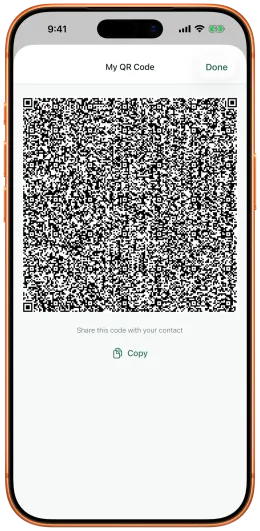
- Your identity key vouches for it. Your code (the QR code under My QR Code, or the text you copy) carries the device key’s public half, a flag saying whether it is in secure hardware, and a signature by your identity key over both. Since rChat 2.0.0 the code also carries your post-quantum (ML-KEM-768) key and your identity key’s signature over all your keys, which is why it is larger (about 1.7 KB). A code whose signatures do not check is refused with “This code is damaged. Ask them to show it again.”, and a code from a version before 2.0.0 is refused with “This code is from an older version of rChat. Ask them to update rChat and show their code again.”
- It signs one thing: the notice your phone sends when it starts a new secure session with a contact, which lists the messages it could not read. The signature is bound to that one session, so it cannot be replayed into another. Since 2.0.0 your phone starts a new session every time it reconnects to a contact, and sends one notice on each, usually listing nothing.
- It is not post-quantum. Like your identity signature, the device key’s P-256 signature could in principle be forged by a future quantum computer; the encryption of your conversations does not depend on it.
- The relay never sees it. It is not sent to the relay, and the notice travels inside the end-to-end encrypted session.
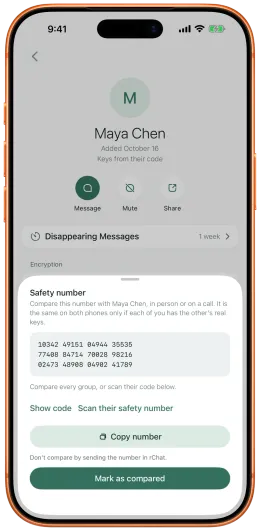
- Safety numbers do not include it. They cover the identity and agreement keys only, so a new device key does not change your safety number.
Scanning in person
Section titled “Scanning in person”Your phone takes a contact’s device key only from something you did yourself:
- scanning their code when you add them;
- scanning their code from Contact Info (Scan their code);
- accepting their request by scanning their code;
- pasting their code, but only when that paste adds them as a brand-new contact (see Pasting a code).
A scan of a code with a different device key replaces the old one. Apart from a scan or a first-add paste, nothing sets or changes it: not the relay, not the keys a contact publishes, not a request or a notice. An applied key rotation clears it.
Why in person. A thief who has a copy of someone’s account keys can make a code with a device key of their own and send it to you remotely. Scanning the code from your contact’s own phone, in front of you, is the closest rChat can get to knowing the key is on their phone. It is not proof: a code shown on a video call or in a picture also scans.
Pasting a code
Section titled “Pasting a code”A pasted code sets the device key only when the paste adds a brand-new contact: someone you have not accepted yet. That is trust on first use, the same as for their identity.
For a contact you already have, a paste never sets, replaces or removes the device key. The paste screen says “Scan their code in person to turn on automatic message recovery.”
Without a device key
Section titled “Without a device key”A contact has no device key pinned if they first reached you through a request, or after they rotated their keys. (Codes from before device keys, and every code from before rChat 2.0.0, can no longer add a contact at all.) Contact Info then shows:
“Scan their code again to turn on automatic message recovery.”
Everything else works as before. The only difference is that lost messages show Not delivered with a Resend button instead of being resent automatically.
Reinstalls and new phones
Section titled “Reinstalls and new phones”| What your contact did | Their device key | What you see if messages were lost |
|---|---|---|
| Reinstalled rChat on the same phone | Unchanged | Messages resent automatically, marked Resent |
| Moved to a new phone | New | Not delivered and Resend, until you scan their code again |
| Reset Identity | New account | A new contact: add their new code |
| Rotated their keys | Cleared on your phone | Nothing is resent automatically: you tap Resend if you trust the change. Scan their code again to pin their new device key |
Your phone keeps your contact’s old device key until you scan their new code. A notice signed by a key you haven’t scanned never triggers an automatic resend, so the fallback is always the safe one: you tap Resend.
Phones without secure hardware
Section titled “Phones without secure hardware”Where the Secure Enclave is not available, the device key is a software P-256 key kept in the Keychain, this device only, and the code says so. This applies to older iOS Simulators (current iOS Simulators on Apple silicon do have a Secure Enclave key). For such a contact, Contact Info’s key details show:
“Their device key isn’t stored in secure hardware.”
The software key works the same way, with one limit: someone who extracts both the account keys and that Keychain item from the phone could trigger automatic resends. That requires compromising the phone itself.